Set up Willa in your AI of choice.
Follow the steps below to connect Willa to Claude or ChatGPT.
Once it's connected, your AI can turn the things you've saved into something real — map out a trip, pull together a recipe, draft a gift list, and plenty more.
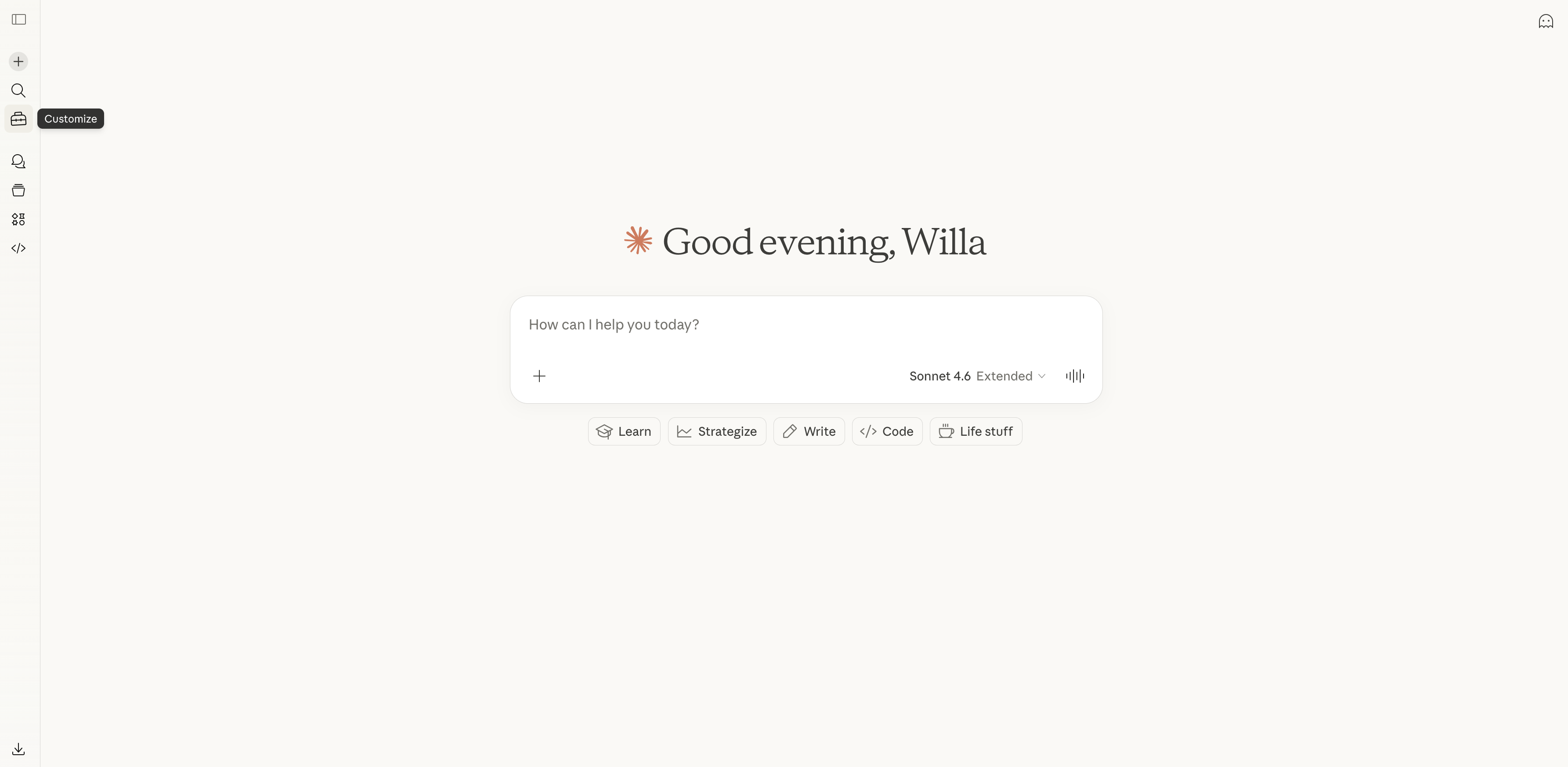
1
Click Customize
Open Claude and click the Customize icon in the left sidebar.
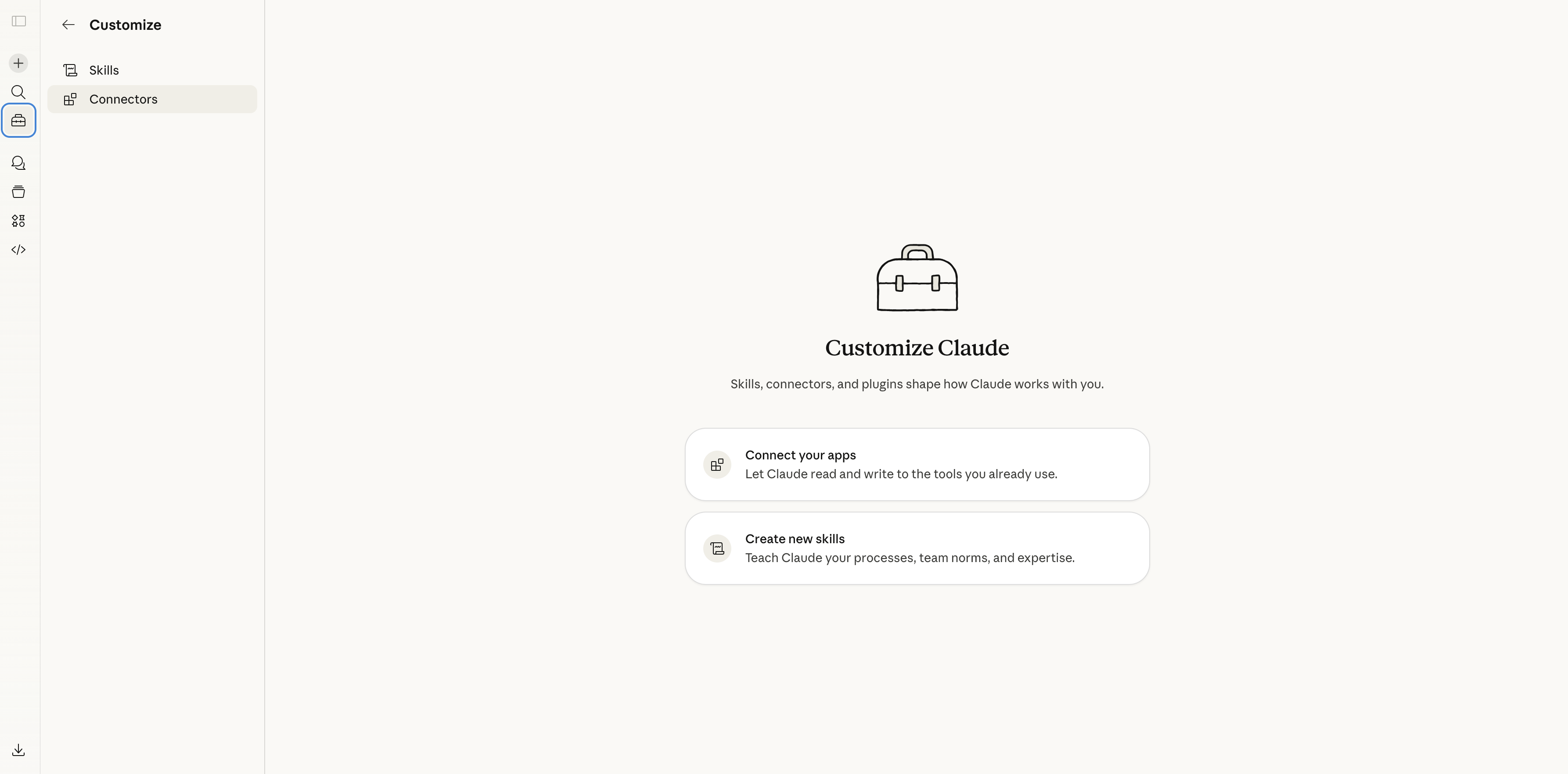
2
Select Connectors
Click Connectors in the Customize panel, then select Connect your apps.
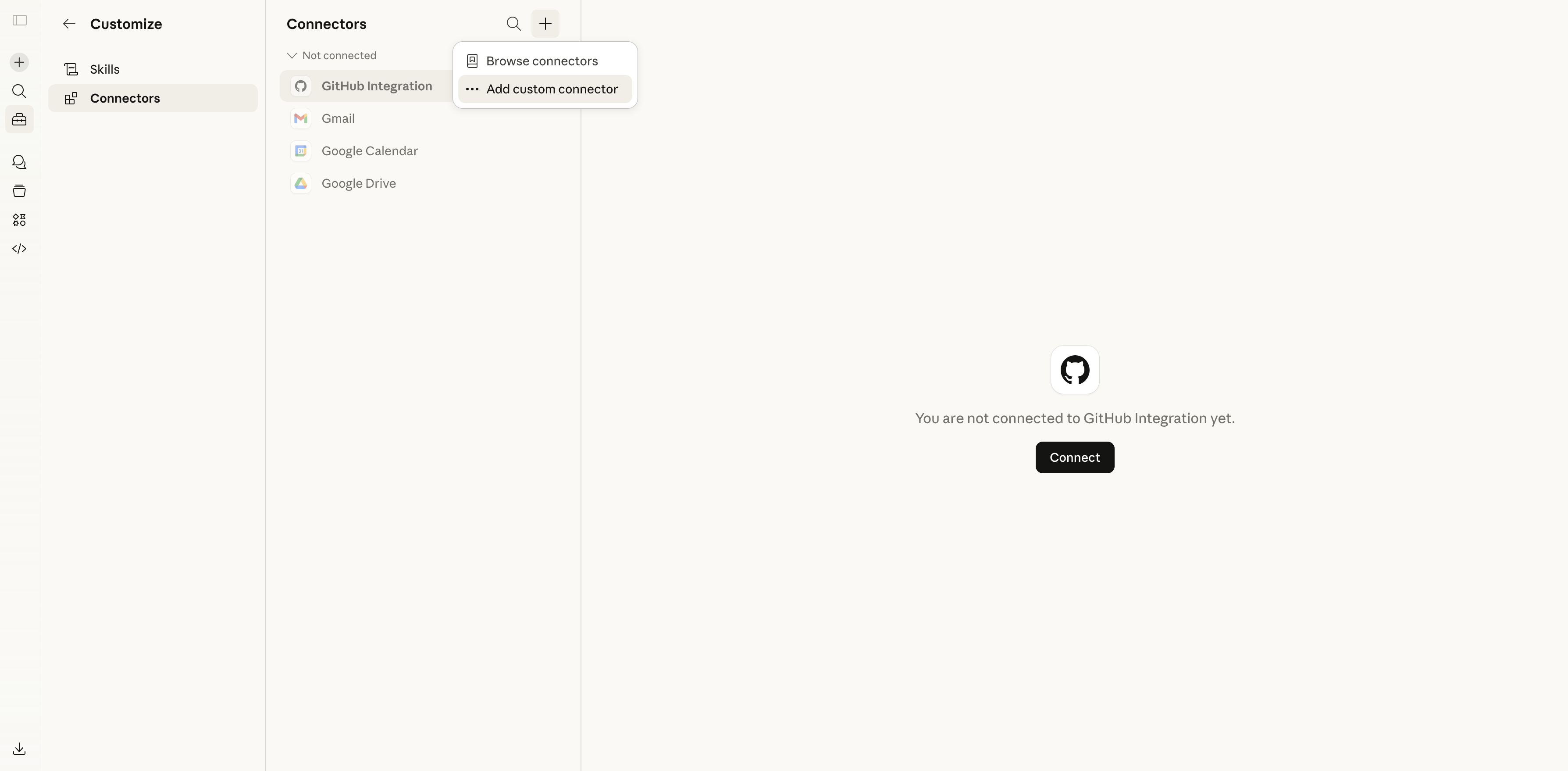
3
Add a custom connector
Click the + button at the top of the Connectors list and select Add custom connector.
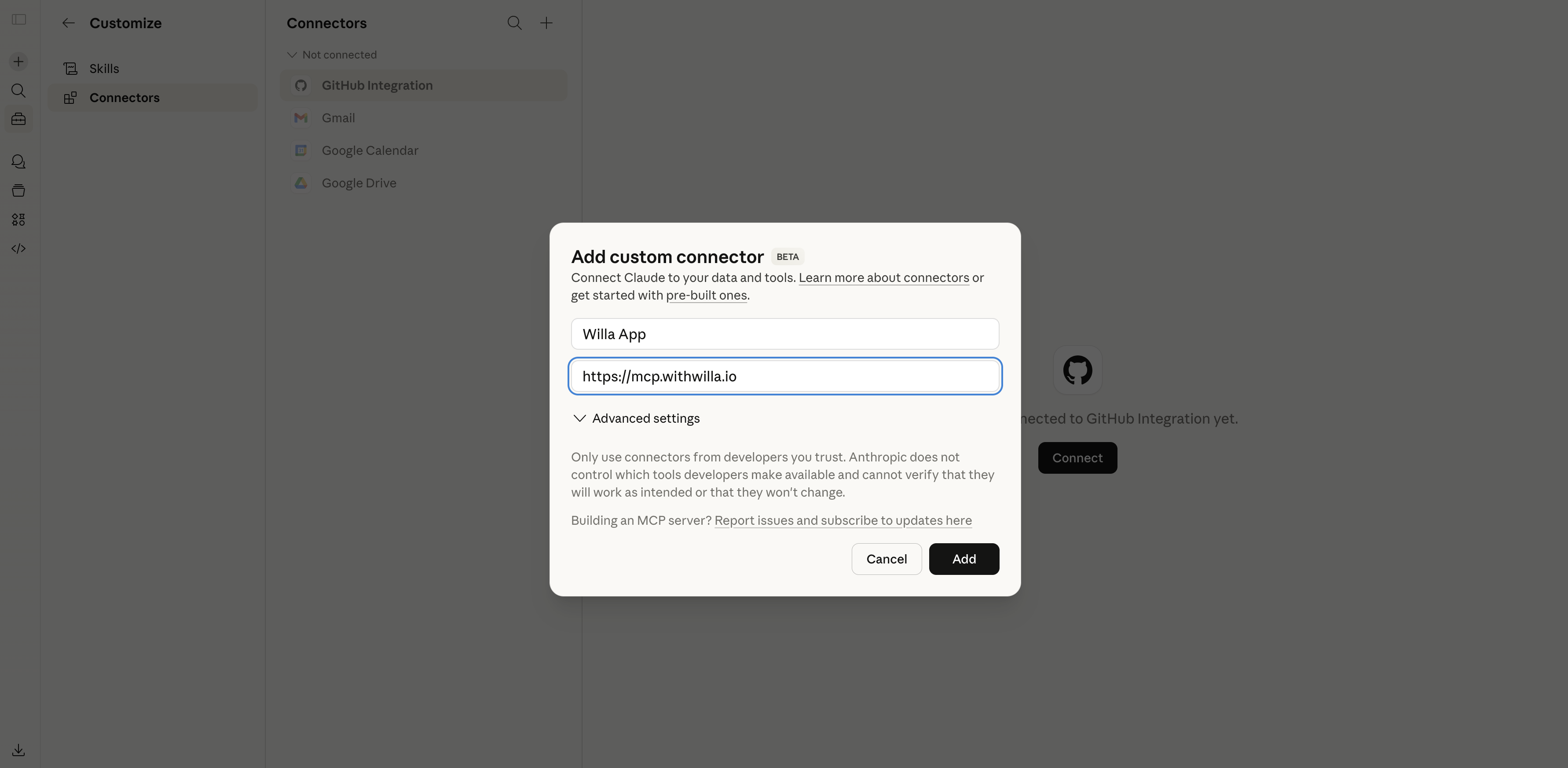
4
Enter the Willa MCP URL
Name it "Willa App", paste https://mcp.withwilla.io as the URL, and click Add. Authenticate with your Willa credentials when prompted.