Save and organize social media posts in one place
Instagram, TikTok, Pinterest, Reddit and YouTube all keep their own separate pile of saves, and none of them let you search it. Willa puts them together in one library you can actually look through.
Free to start · iOS, Android & Chrome
Your saves are everywhere except where you need them
You saved the recipe, the hotel and the workout. Now try finding any of them.
Six apps, six separate piles
Instagram keeps its own. So does TikTok, Pinterest and Reddit. Remembering which app you used is half the work.
There is no search box
Instagram's saved tab has no keyword search. Past a few hundred posts you scroll a grid of thumbnails hoping to recognise one.
Screenshots lose the link
They sit in your camera roll between photos of your dog, with no way back to the original post.
Bookmarks you never reopen
A folder of blue links with no pictures, no notes and no reason to go back to it.
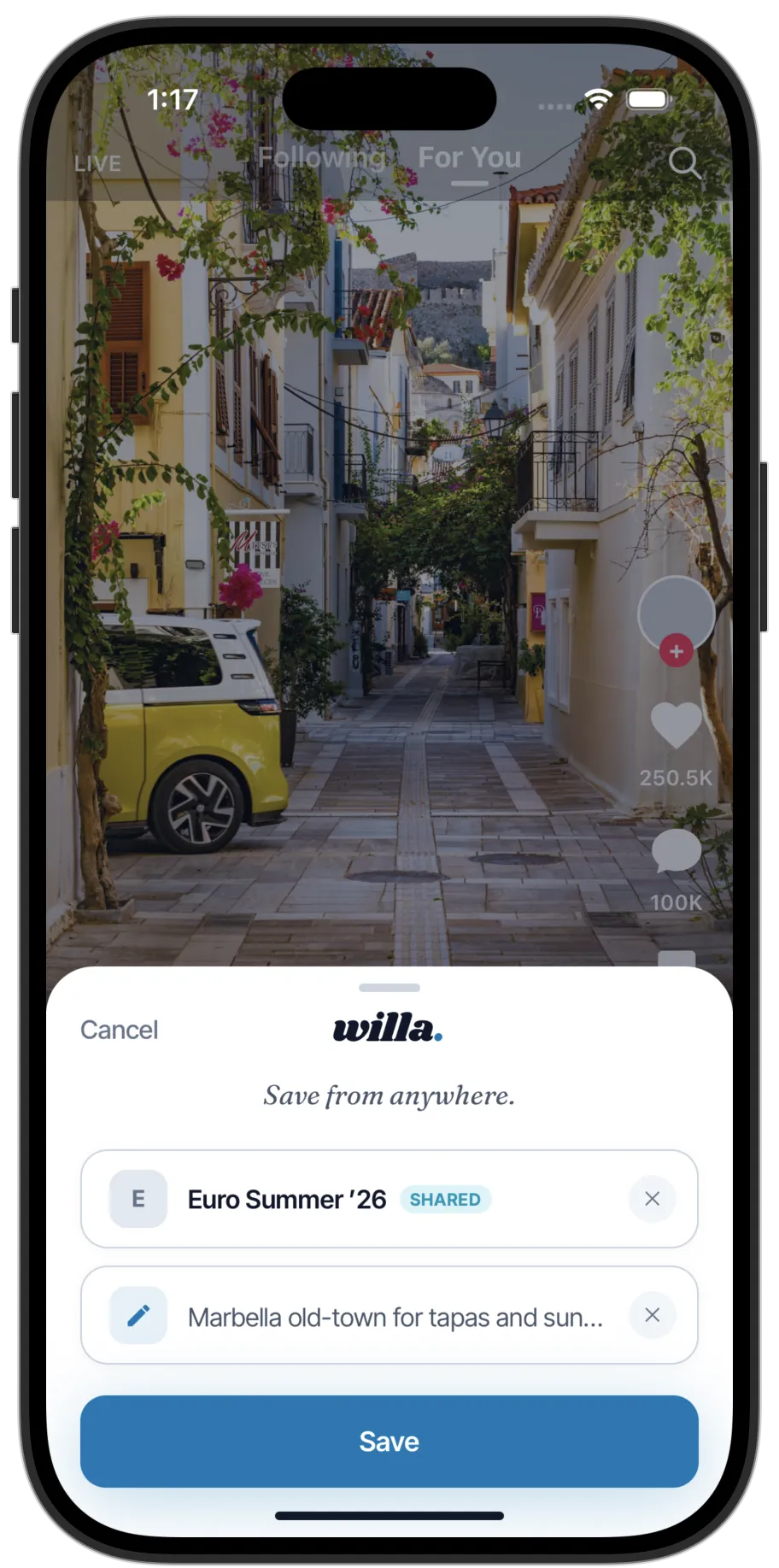
Saving a post takes two taps
No copying links, no switching apps, no account to connect.
Willa vs. the ways you're saving now
Instagram saves, screenshots and browser bookmarks each do one part of the job. Here's where each of them stops.
| Feature | willa | Instagram Saves | Screenshots | Browser Bookmarks |
|---|---|---|---|---|
| Save from any app or website | ✓ | ✕ Instagram only | ✓ | ✕ Web pages only |
| Search your saves by keyword | ✓ | ✕ No search box | ✕ Not searchable | – Title only |
| Organize into boards | ✓ | – Collections only | ✕ One camera roll | – Folders only |
| Add your own notes | ✓ | ✕ No notes | – Markup only | ✕ Name only |
| Get back to the original post | ✓ | ✓ | ✕ Image only | – If the link still works |
| Works across all your devices | ✓ | ✓ | ✕ One phone | – Same browser only |
| Share a collection with someone | ✓ | ✕ Private to you | – Send each file | ✕ Export file only |
| Ask Claude or ChatGPT about it | ✓ | ✕ Not supported | ✕ Not supported | ✕ Not supported |
Yes · Partial (limits noted) · No. See plans for what's included free.
Questions people ask
Instagram's saved tab has no keyword search — it only shows a grid of thumbnails in the order you saved them. You can sort posts into named Collections, but you can't search by caption, account or anything you typed. Past a few hundred saves that means scrolling until you recognise the picture.
In Instagram: tap your profile, open the menu at the top right, then tap Saved. Your most recent saves are at the top and it runs backwards from there. If you filed it into a Collection it'll be in that folder — otherwise you're scrolling. Saving to Willa instead gives you a search box across everything.
Yes. Use the share button on any Instagram post, reel or profile and pick Willa. It saves with the thumbnail, the caption and a link back to the original post, so you can still open it in Instagram later.
Yes, all three. Hit share in TikTok, Pinterest or Reddit and choose Willa. The same route works from YouTube, Spotify, Airbnb, Amazon and around 30 other apps — anything with a share button can save to Willa.
Yes — one search box covers every save regardless of which app it came from. It reads captions, your own notes and board names, not just titles. You can also filter by platform or by board to narrow things down.
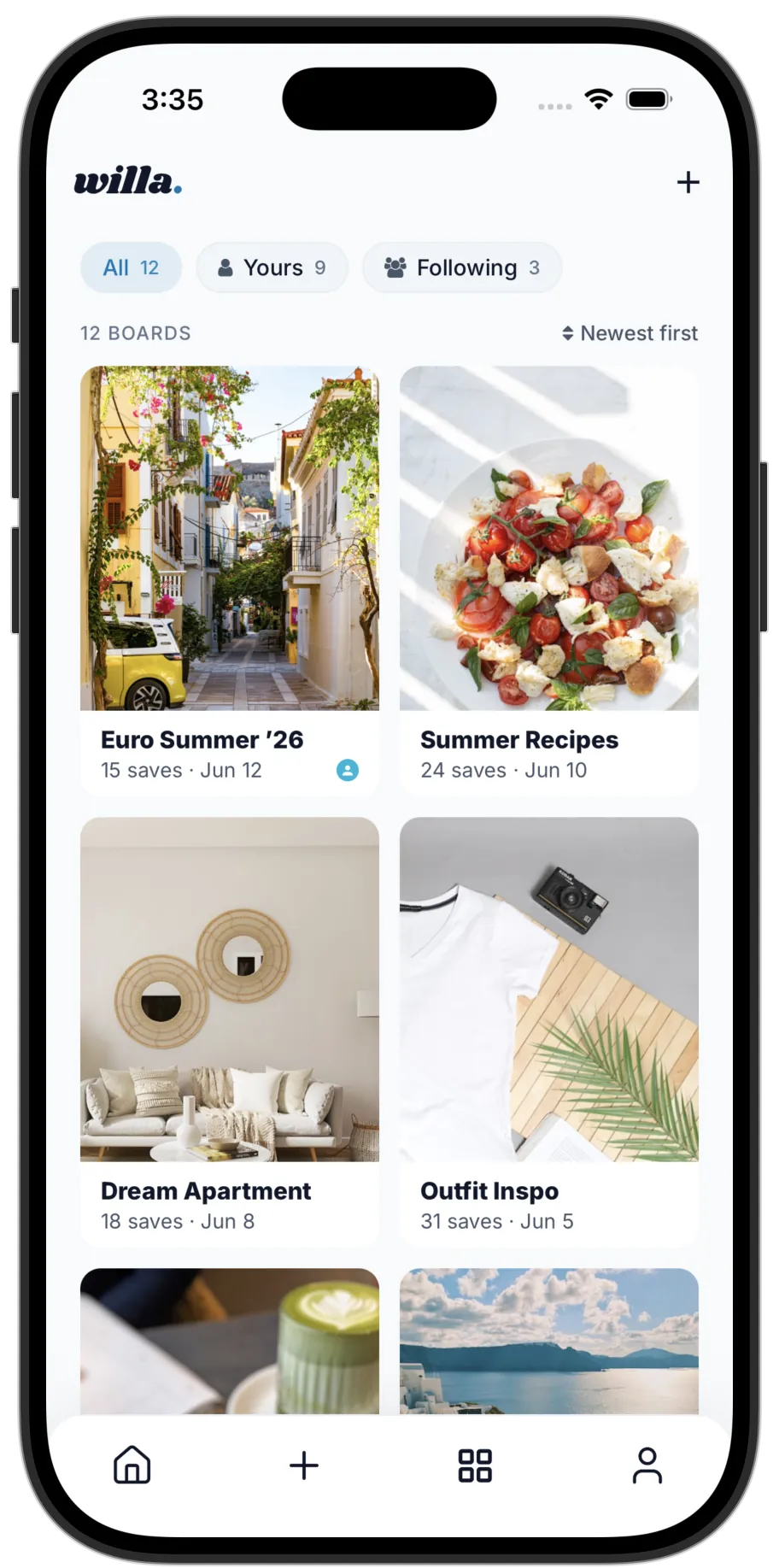
Yes. Boards keep them separate without needing a different app for each — a board for a trip, one for recipes, one for a room you're redoing. A save can sit on more than one board, and you can rename or merge boards whenever the plan changes.
There's a free plan that covers saving, boards and search. Premium adds unlimited saves, unlimited shared boards, smarter search and full access to the AI assistant. See the plans page for the current price and what's in each.
Both, plus the web. There's an iOS app, an Android app and a Chrome extension for saving from your laptop, and everything stays in sync across them.
Yes. Send a board as a link and anyone can open it, with or without the app. Invite them to edit and you can both add saves to the same board — useful for a trip or a house project you're planning together.
You can export everything at any time — links, notes and board structure included. Deleting your account removes your saves from Willa's servers, and the original posts stay where they always were in the apps you saved them from.
Then ask Claude or ChatGPT what to do with it all
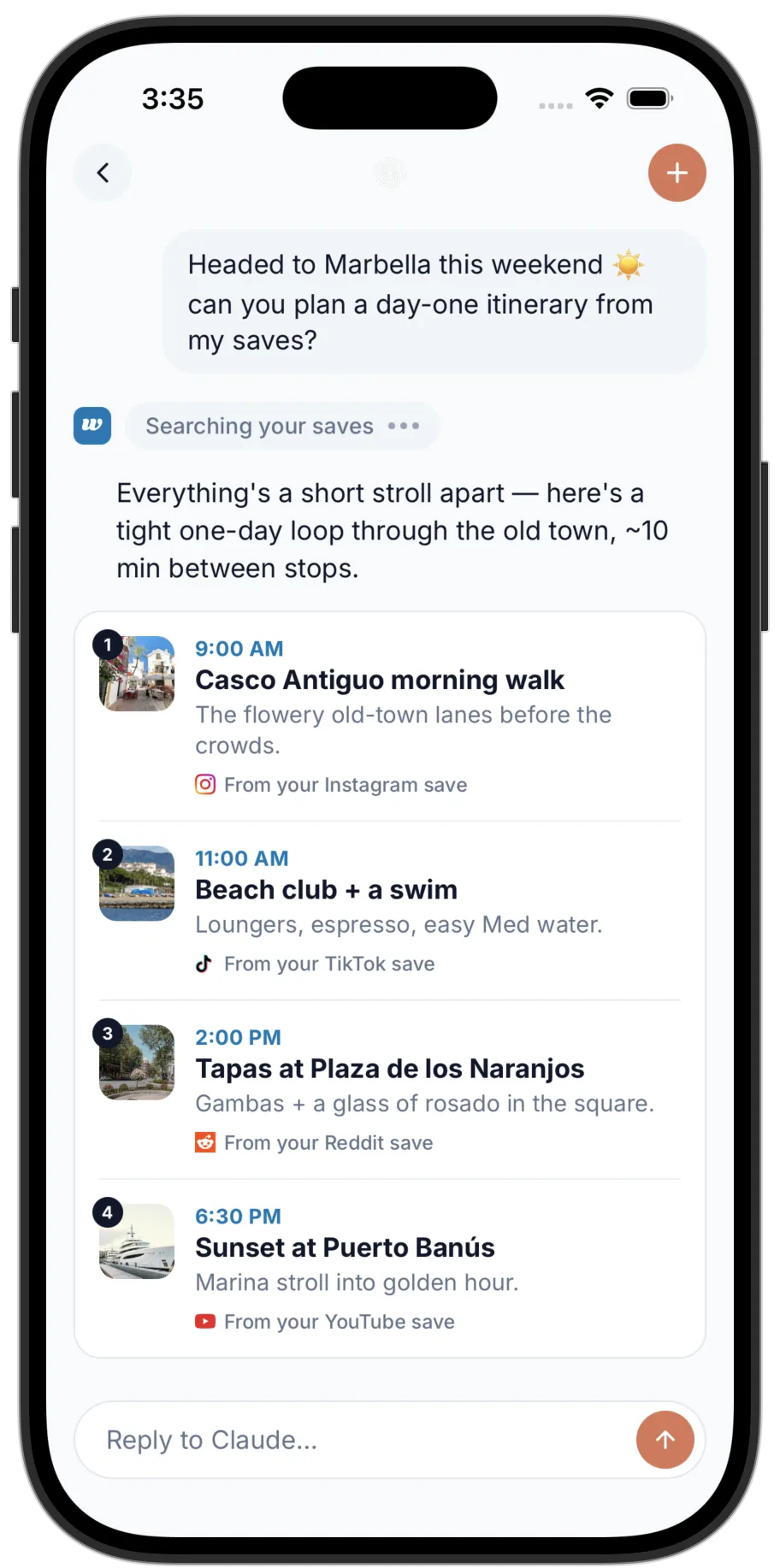
Willa connects to Claude and ChatGPT over MCP, so your own saves become something you can ask questions of — rare in a save app, and rarer still for visual saves rather than bookmarks.
"Plan three days in Lisbon from what I saved" — answered from the posts you actually bookmarked, not the internet at large.
See how to connect it →I'm headed to Bali but I'm only going to be in Ubud for 1 day, can you build me an itinerary based on my Instagram saves?
Everything is within a tidy loop northeast and back — max 30 minutes between any two stops.

6:30 AM — Campuhan Ridge Walk (Ubud)
A free, easy trail right on the edge of central Ubud. Panoramic views over the jungle valley... at this hour you'll have it almost entirely to yourself.
8:00 AM — Seniman Coffee Studio
The best specialty coffee in Ubud. Try the banana bread — you saved a TikTok about it back in March.
10:00 AM — Tirta Empul Temple
Sacred water temple with purification pools. Get there early to beat the crowds — just like your YouTube save suggested.
Put every save in one place
Start with the apps you already save from. It takes a minute, and it's free.
Free to start · iOS, Android & Chrome